


 CANADA
 INDONESIA
 NEW ZEALAND
 SAUDI ARABIA
 SINGAPORE
 SOUTH AFRICA
 UNITED ARAB EMIRATES
 UNITED KINGDOM
 UNITED STATES
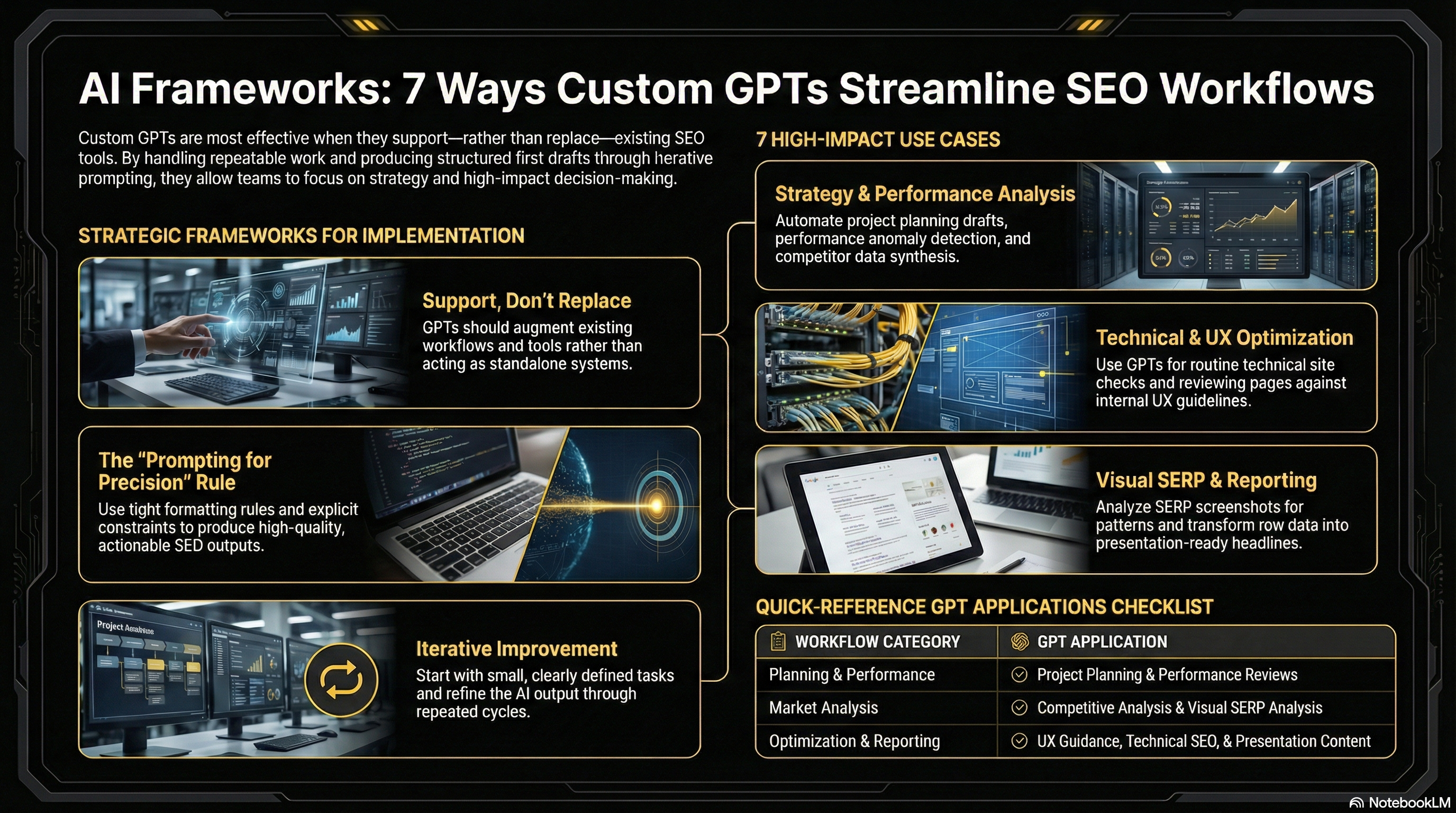
How custom GPTs support everyday SEO tasks
Custom GPTs fit best into SEO workflows when they support—not replace—existing tools and processes. They’re particularly effective at handling repeatable work, spotting patterns, and producing structured first drafts that a human can refine.
You don’t need a paid ChatGPT plan to benefit from these ideas. The prompts themselves can be reused as references and adapted to your team’s needs. Think of them as frameworks rather than finished systems.
Because AI outputs improve through iteration, it’s worth starting with small, clearly defined tasks. Tight formatting rules, explicit constraints, and clear context (such as audience, role, and reference material) tend to produce far better results than open-ended prompts.
The seven examples below show how custom GPTs can be applied across planning, analysis, reporting, and technical SEO work.
1. Project planning with a GPT
SEO planning often starts with reviewing what worked—and what didn’t—last year. A project planning GPT can use historical plans, retrospectives, and feedback to generate a structured draft for the year ahead.
Instead of beginning from scratch, teams can ask the model to map priorities by quarter, highlight major focus areas, and even stress-test the plan by identifying potential risks or blind spots. This makes planning faster while still leaving strategic decisions in human hands.
2. Using GPTs to review site performance
Performance reviews are another area where GPTs can save time. When given analytics reports or dashboards, a model can summarize week-over-week changes, surface standout wins and losses, and flag anomalies worth investigating further.
This approach doesn’t replace analytics tools or deep analysis. It simply reduces the manual effort involved in reviewing routine reports so teams can focus on insights and next steps.
3. Competitive analysis at scale
Competitor analysis becomes more efficient when GPTs are used to organize and compare data. By connecting SEO tools or uploading reports, teams can quickly compare domains, pages, or folders across key metrics like rankings, backlinks, and estimated traffic value.
The real value comes from using the model to synthesize that data—highlighting where competitors are outperforming and where opportunities exist, rather than just listing numbers.
4. Analyzing SERPs with visual context
As AI has improved at interpreting images, SERP analysis has become more nuanced. By comparing live search results with captured SERP screenshots, GPTs can help identify patterns in rankings, features, and content types.
This type of analysis is useful for understanding how competitive a keyword truly is and what characteristics appear most often among high-ranking results.
5. Applying UX guidance with a GPT
UX and design guidelines are often buried in long internal documents. A UX-focused GPT can make that guidance easier to access by reviewing pages against documented standards and pointing out issues.
This is especially helpful for editorial teams, who can quickly identify design or usability problems and apply fixes without needing to search through extensive documentation.
6. Automating routine technical SEO checks
Technical SEO checks are well suited to automation. With access to Search Console or technical audit reports, a GPT can identify pages with performance issues, group common errors, and suggest areas for improvement.
Running these checks on a daily or weekly basis helps teams catch problems early while maintaining a consistent review process.
7. Turning SEO data into presentation-ready content
While GPTs can’t create slides natively, they can prepare the content that goes into them. By pulling insights from performance, technical, and competitor analyses, a presentation-focused GPT can generate clear headlines, concise bullet points, and suggested visuals.
This makes it easier to communicate SEO results to teammates and stakeholders without spending hours rewriting reports.
Where custom GPTs add the most value
Custom GPTs are most effective when they work alongside existing SEO tools and workflows. Rather than replacing dashboards, audits, or documentation, they help standardize first-pass reviews and reduce friction in common tasks.
Used thoughtfully, these prompts aren’t about automation for its own sake—they’re about helping SEO teams spend less time on repetitive work and more time on strategy, decision-making, and impact.

Michael Doyle
Michael is a digital marketing powerhouse and the brain behind Top4 Marketing and top4.online. His know-how and over 23 years of experience make him a go-to resource for anyone looking to crush it in the digital space. To get the inside scoop on the latest and greatest in digital marketing, be sure to read his blog posts and follow him on LinkedIn.